Data & backend systems.
3 posts · Read or watch
Follow a data pipeline from discovery to its activities, parameters, and datasets. Then look at the queues and workers that keep slow operations from holding up the people using your application.
Start here, then go deeper
3 min readVideo
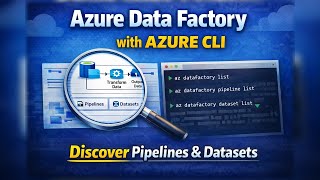
Azure Data Factory with Azure CLI - Part 1: Discovering Pipelines & Datasets
Read-only Azure CLI walkthrough for Azure Data Factory: list factories, pipelines, datasets, and learn how to inspect pipeline definitions.
Watch on YouTube8 min readVideo
Azure Data Factory with Azure CLI - Part 2: Inspecting Pipelines & JSON
Deeper dive into Azure Data Factory pipeline JSON: activities, parameters, variables, and datasets via the Azure CLI.
Watch on YouTube12 min readVideo
Stop Making Users Wait: Async Queues Explained
Async processing as a handoff: Django accepts the request, Redis holds the job, and a Celery worker finishes the slow work after the response is already back. Queues, workers, backlogs, retries, and when not to bother.
Watch on YouTube


Pick a thread
AI coding agents
Understand how agents find context, call tools, and work within the boundaries of a real repository.
4 handpicked posts02Local AI
Models, memory, and practical tradeoffs when the hardware running your AI is your own.
4 handpicked posts03Data & backend systems
Trace pipelines, inspect their data, and move slow work out of the request path.
3 handpicked posts